iVenza is a gym, team, and athlete management platform operated by
Show Up Show Out LLC. Gyms and teams use iVenza to run their rosters, and
part of that is texting their own members about the membership those members signed up for.
This page shows exactly how someone consents to those texts, the wording they see when they
give us their number, and how they stop the messages.
1. The sign-up form members see
When a gym on iVenza collects a phone number online, it is on that gym's own sign-up, join,
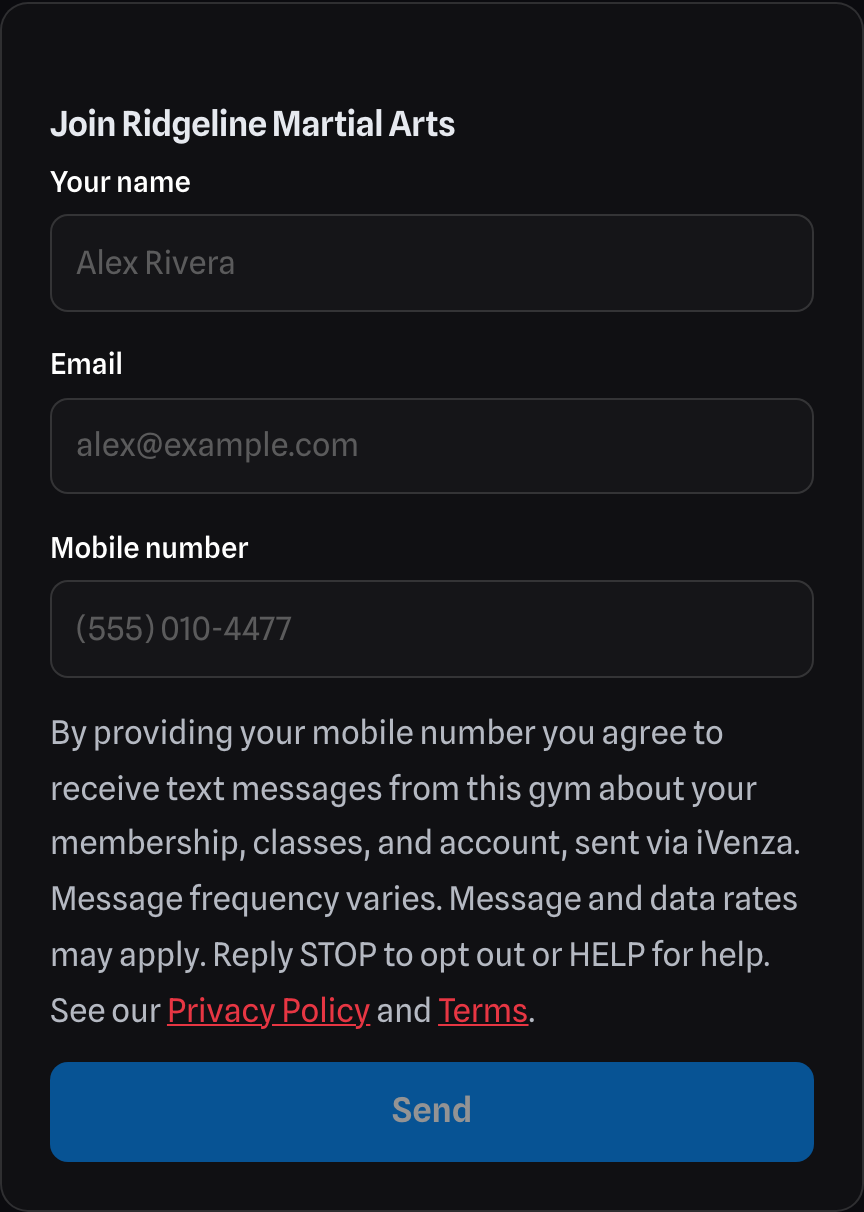
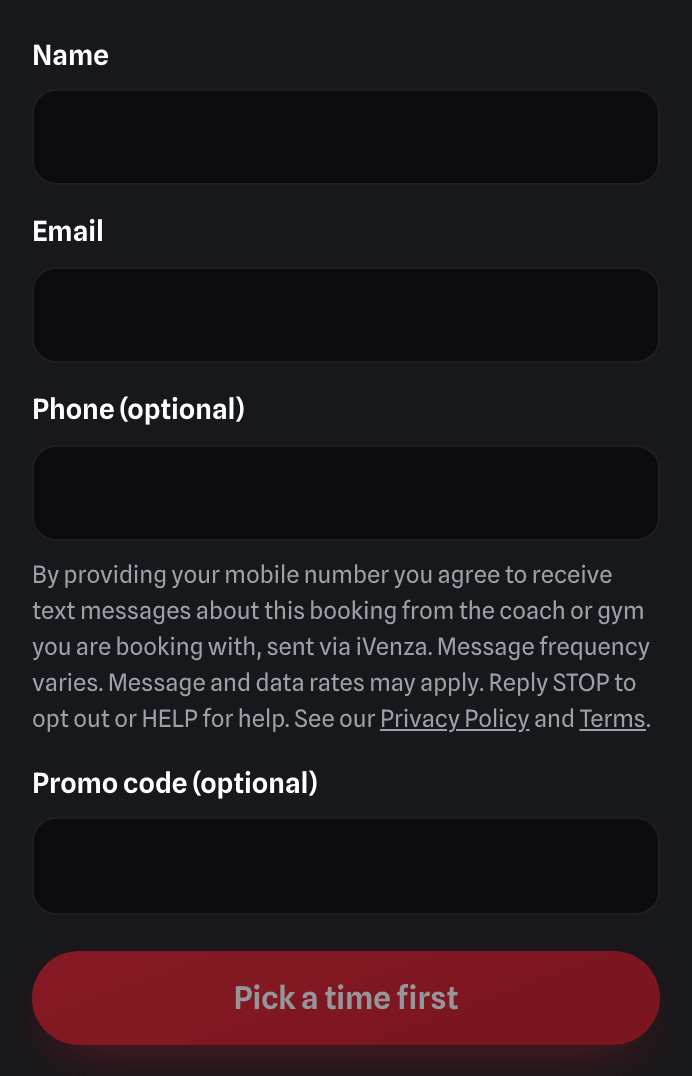
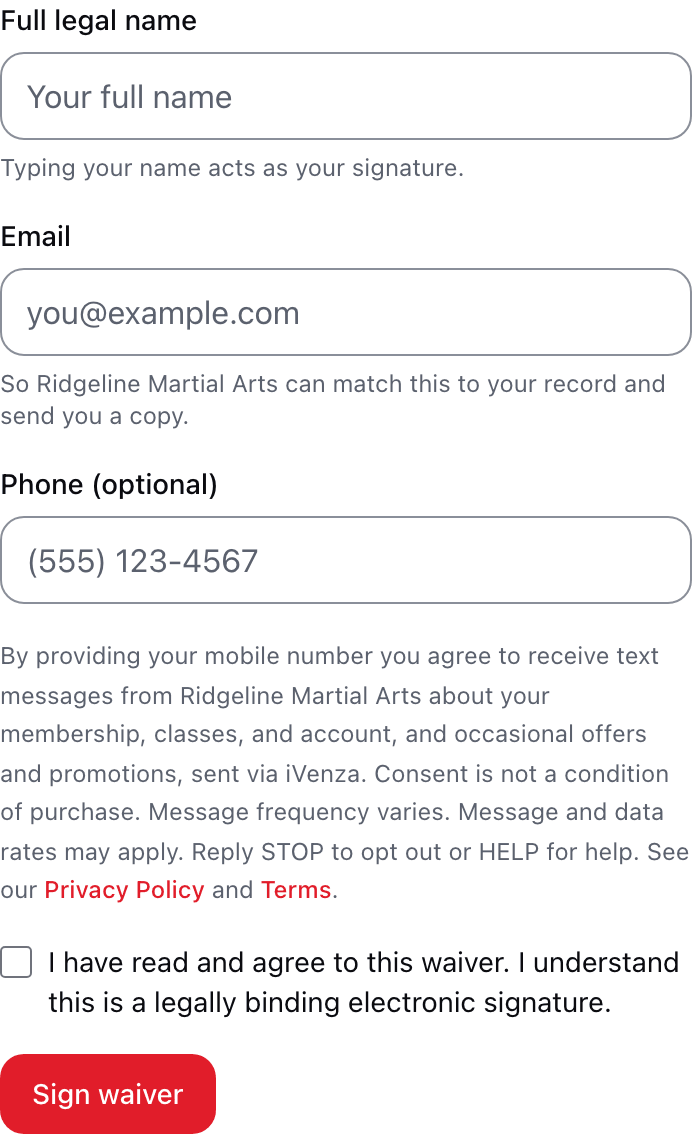
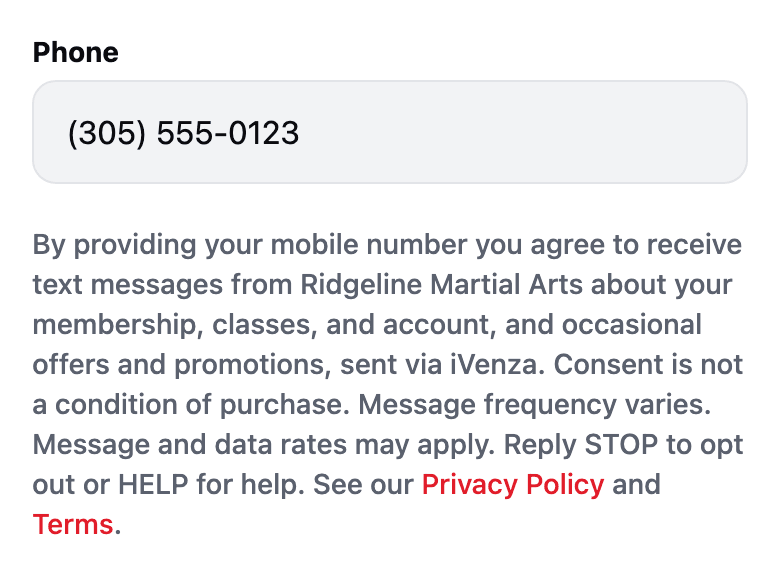
trial, or contact form, which we host on that gym's page. Below is that form, reproduced
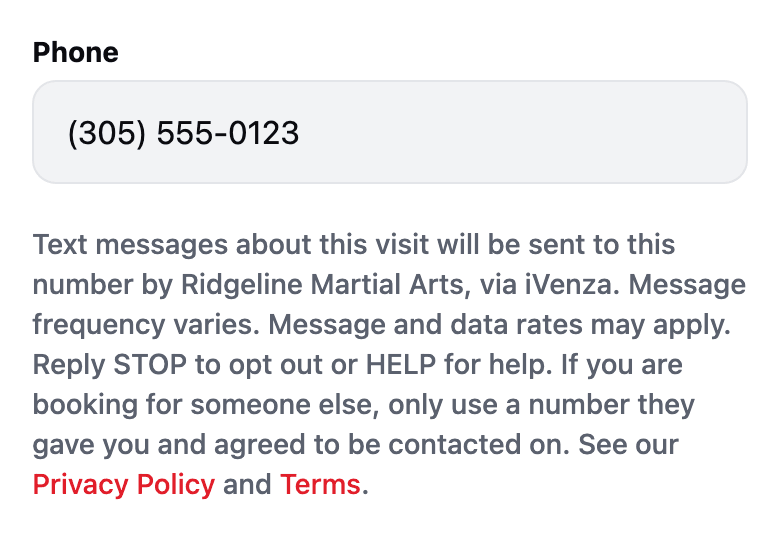
exactly as a member sees it, including the consent notice directly beneath the phone field.
This is the sign-up form our members see. The layout, the fields, and the
consent notice beneath the phone number are identical to the live form every gym on iVenza
uses, which is hosted on that gym's own page. Submissions are switched off on this review
copy so that nobody's phone number is collected here.
Download this form as an image.
2. Every way we get a phone number
There are exactly three, and consent is given by the member in all three.
In person. A member joins a gym and gives their number to gym staff on
that gym's own sign-up or membership form. Staff enter it on that member's roster record.
The gym holds the signed paperwork.
Online. A member types their own number into that gym's sign-up, join,
trial, or contact form, or books a visit or a session, with the consent notice shown in
section 1 directly beneath the phone field. The wording is the same on every one of
those forms, naming whichever gym, team, or coach the person is dealing with.
Sign-in codes. A user turns on two-step verification themselves and must
enter a code we text them before the feature activates, so it cannot be switched on
without proving control of the number.
We do not message purchased, rented, or scraped lists, and a gym can only message its own
roster and its own inquiries. Numbers are never sold or shared for anyone else's marketing.
3. What we send
Class and schedule reminders
Membership renewal notices, and payment or billing alerts such as a declined card
Roster and account messages, including an invitation to set up your profile
Replies from your gym when you text them, and messages your gym sends its members
One-time sign-in codes, when you turn on two-step verification
Message frequency varies by gym and by what you have signed up for. Message and data rates
may apply.
4. Who the message is from
Every text names both your gym and the platform, in the form
"Gym Name via iVenza: ..." so you always know who is contacting you and
which platform delivered it. The first message you receive from us always includes
Reply STOP to opt out.
5. How to stop
Reply STOP to any message and we stop texting that number. Reply
HELP for help. You can also turn off text messages for your account
under More → Reminders in the iVenza app, or manage every messaging preference
from Your Privacy Choices. Stopping texts does not cancel
your gym membership, and you will still get email where you have not opted out of that too.
6. Every screen where we ask
These are screenshots of every place iVenza collects a phone number or asks for consent to
text, taken from the code that is running on October 8, 2026. Each one was checked against the
expected wording before it was saved. The people, gyms, and numbers in them are made up. The
app pictures are the app's own screens drawn in a browser, so fonts and switch colors differ
slightly from a phone. Select a picture to see it full size.
Forms anyone can fill in
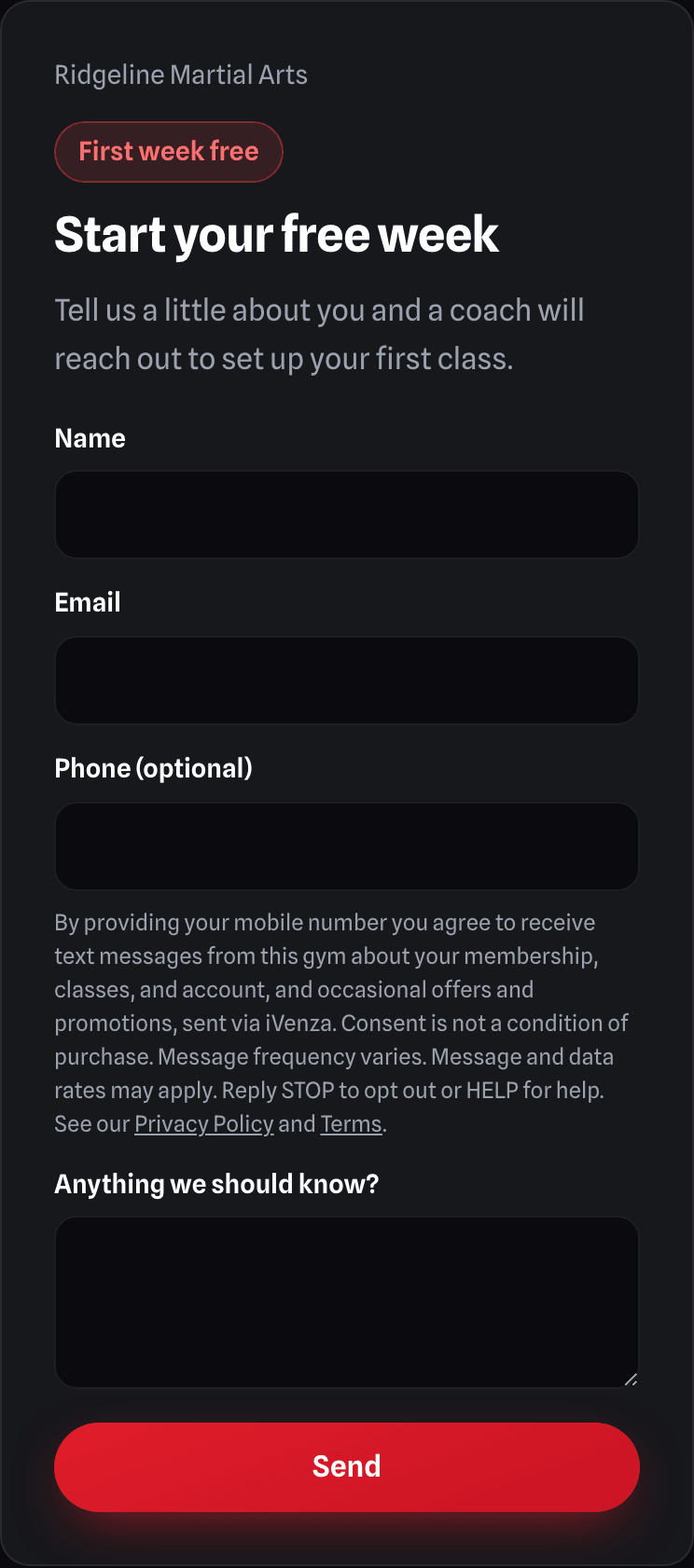
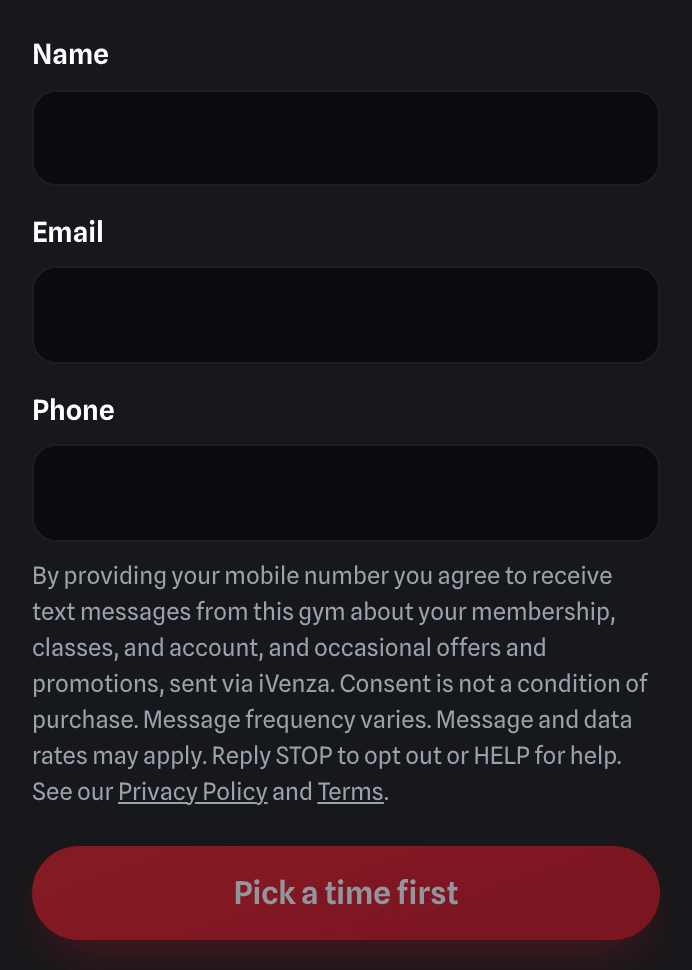
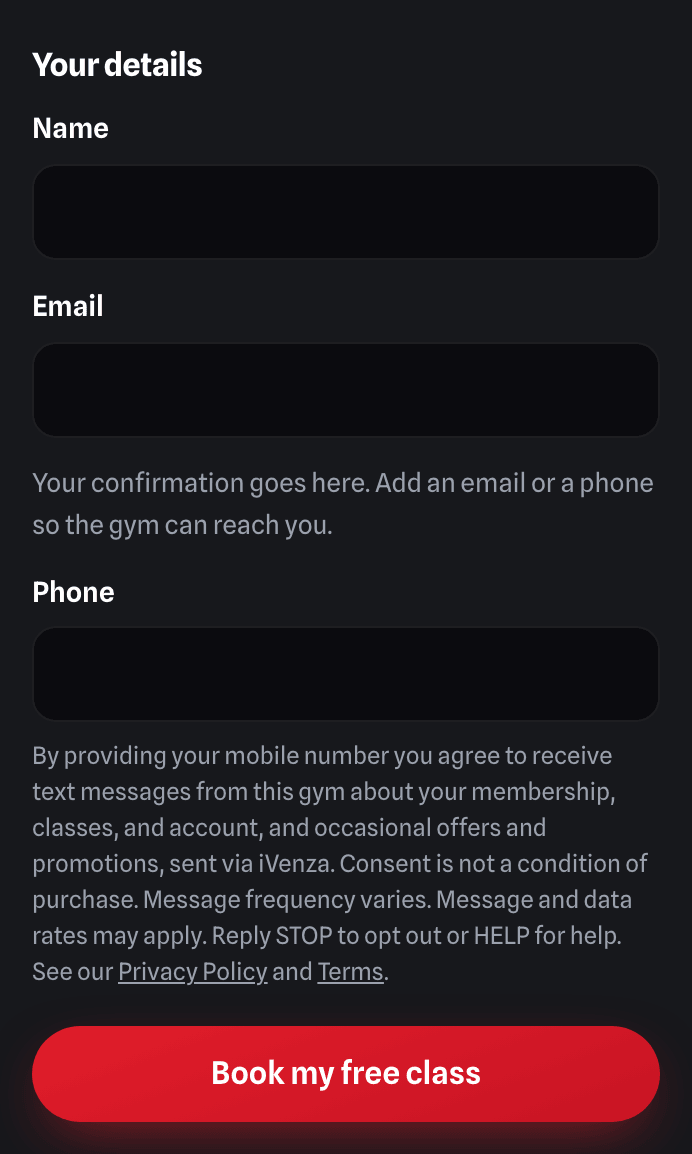
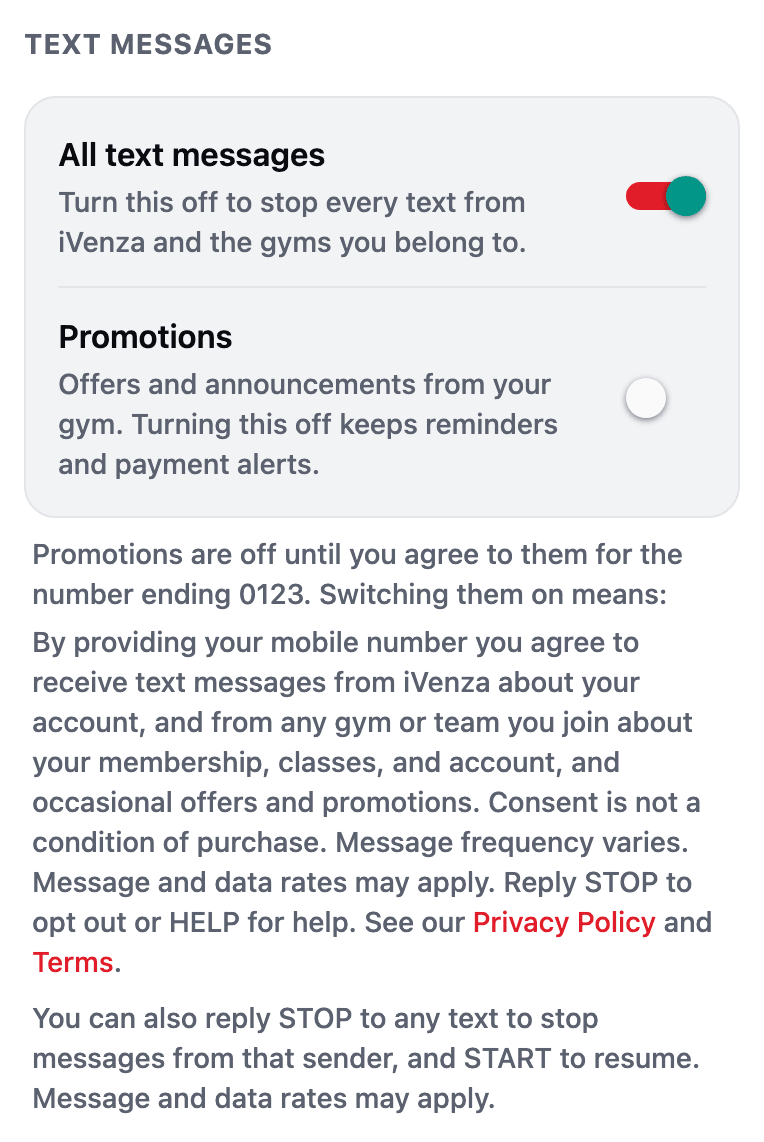
A gym's web sign-up formhttps://www.ivenza.app/trial/?f={form id} (each gym gets its own link)The person types their own number; the consent line sits directly under the phone field, before Send. A typed number is recorded as marketing consent for that gym (0506).Book a visit (tour) formhttps://www.ivenza.app/book-tour/?g={gym id}Same consent line under the phone field. Booking texts a confirmation and a reminder; the typed number carries marketing consent only because this line is shown.Try a class (free trial or paid drop-in)https://www.ivenza.app/visit/?g={gym id}Same consent line under the phone field; the trial booking records consent with the lead it creates (0508).Book a private session with a coachhttps://www.ivenza.app/book/?coach={coach id}Booking-only texts: the line names this booking, not offers. A number typed here is NOT recorded as marketing consent.
In the web app at my.ivenza.app
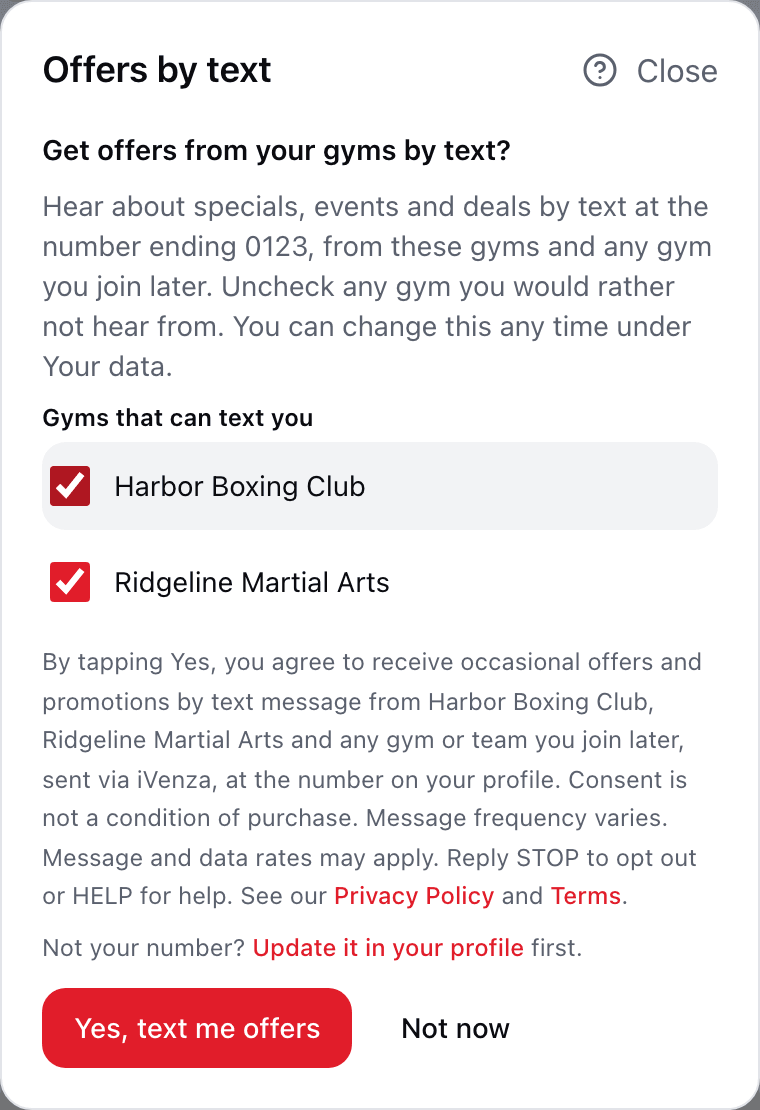
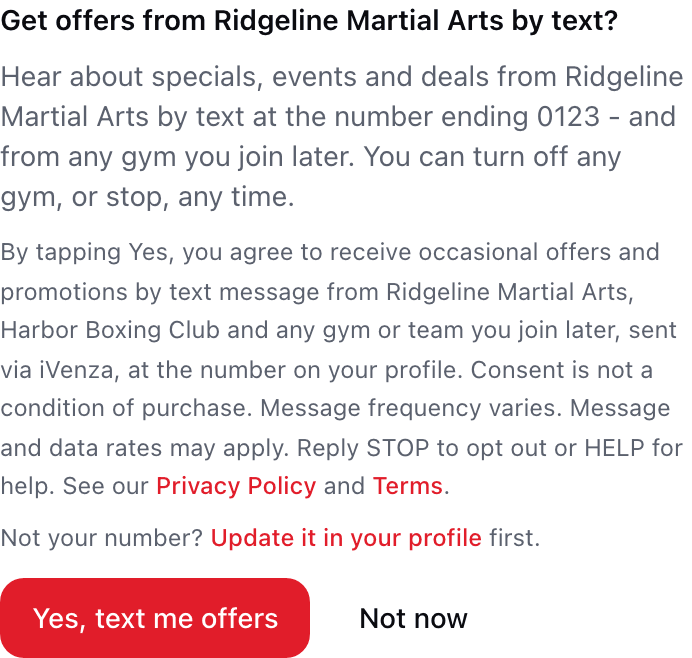
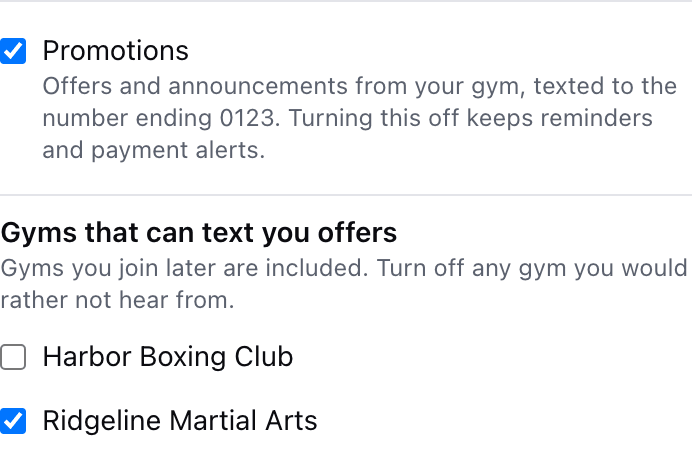
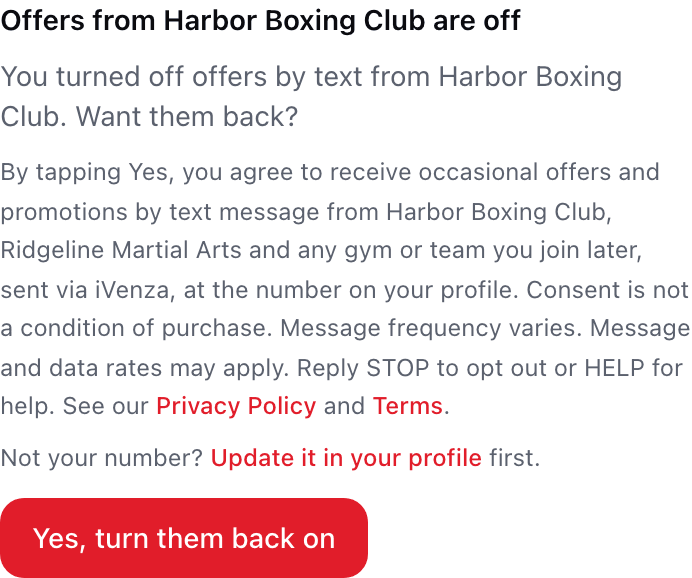
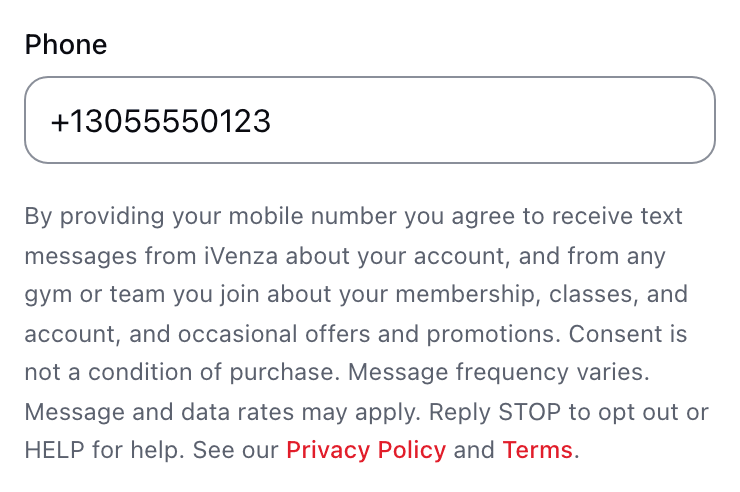
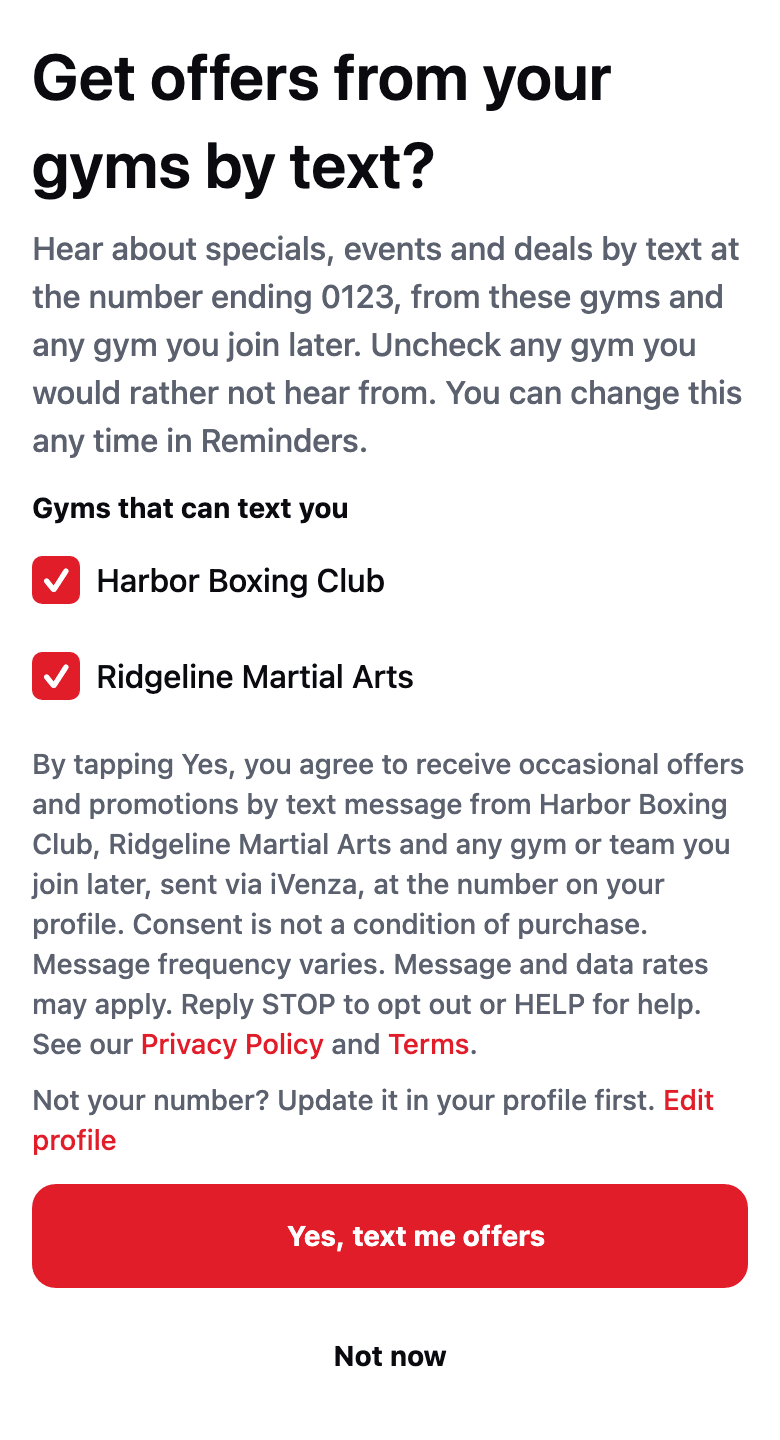
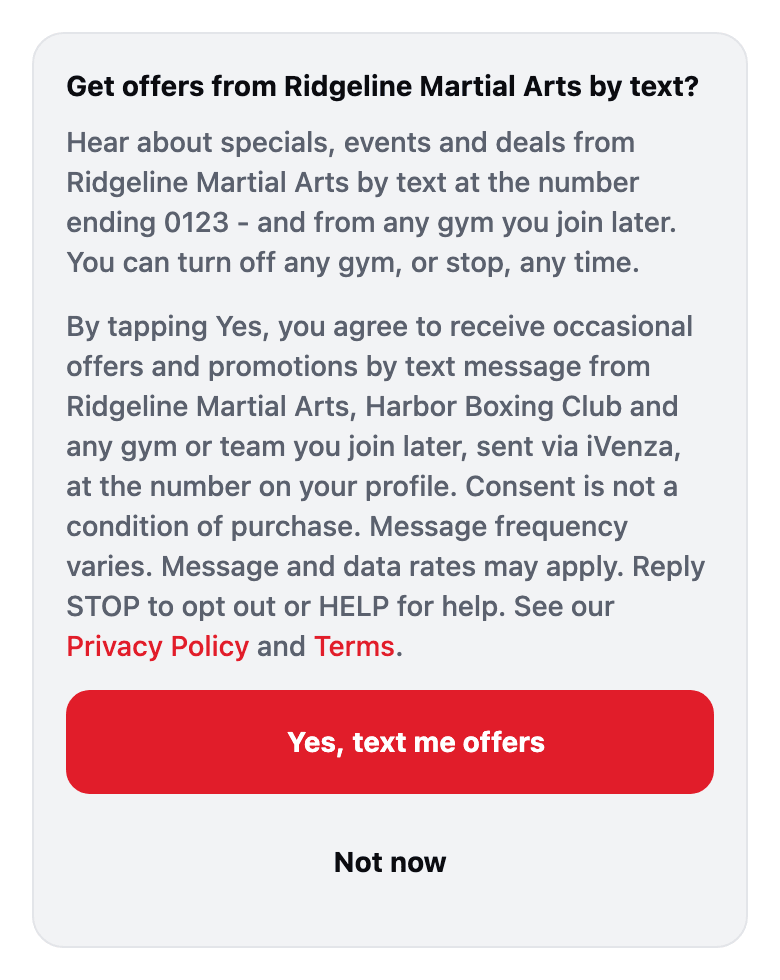
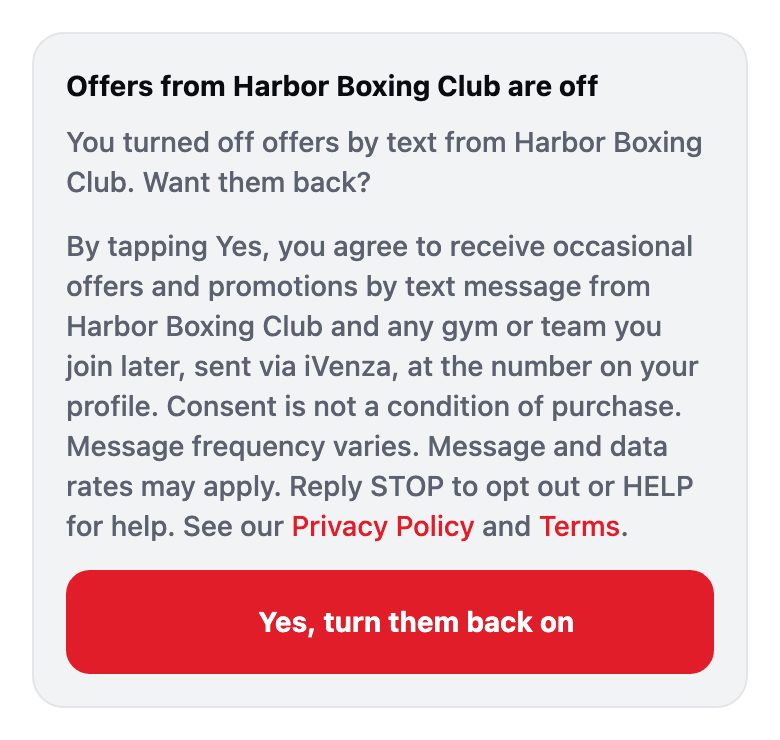
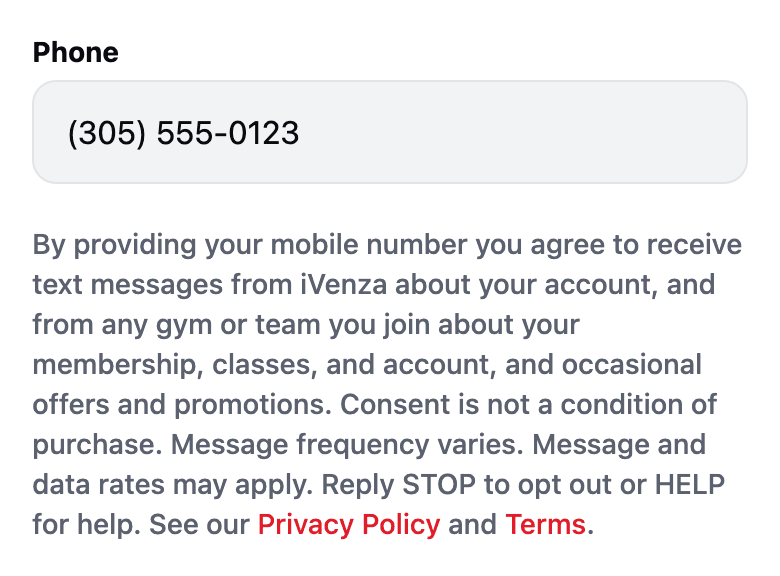
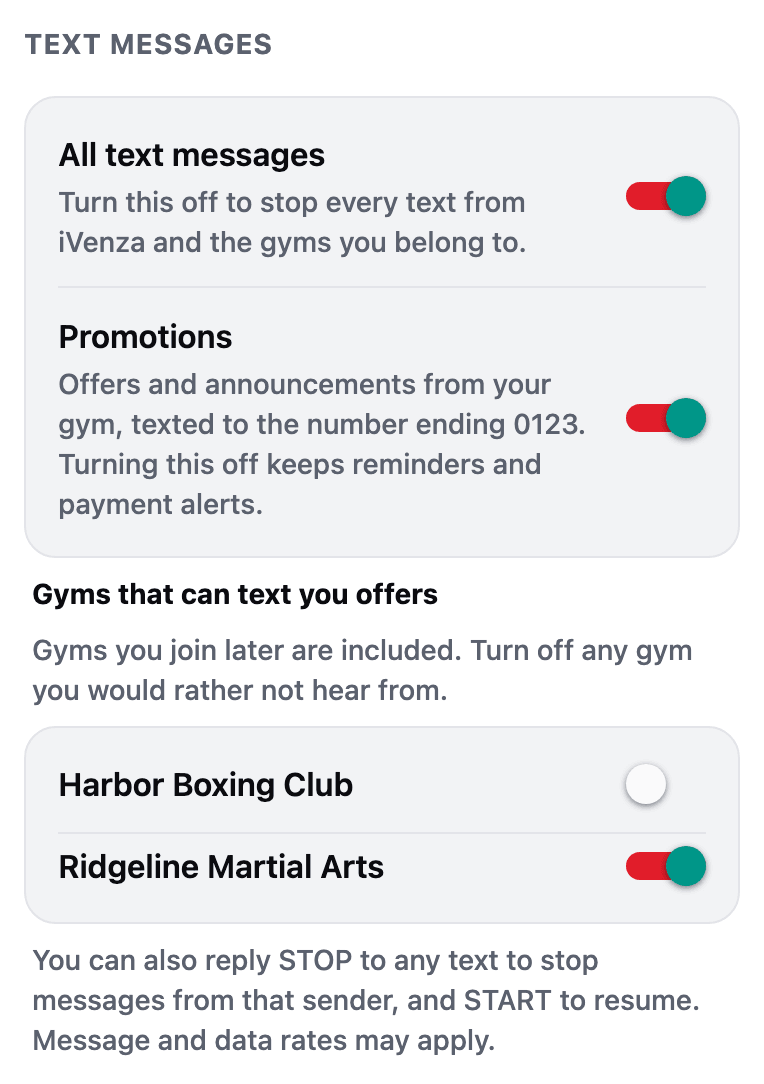
"Get offers from your gyms by text?" (asked once, after joining)https://my.ivenza.app (any page, once per session while a gym is still to ask)Joining a gym is never consent. The member is asked, every gym the yes covers is listed with a checkbox, and the consent line naming exactly the checked gyms sits directly above Yes.The same question on a gym's own pagehttps://my.ivenza.app/gyms/{gym id}The card names the gym it is on and the other gyms the yes covers, and offers Not now.Your data: one switch per gymhttps://my.ivenza.app/dataAfter a yes, every gym can be turned off on its own (here Harbor Boxing Club is off). Opt-out never needs a text.A gym the member turned offhttps://my.ivenza.app/gyms/{gym id}A gym that was turned off stays off until the member turns it back on, which shows the consent line again.Phone number on your own profilehttps://my.ivenza.app/settings/profileTyping your own number: the line says texts come from iVenza and from any gym you join, including offers; a NEW number saved here records consent (0506).A gym's public waiver link (no account needed)https://my.ivenza.app/w/{token}The optional phone field on the waiver carries the gym consent line, naming the gym; a typed number records consent with the signature (0508).
In the iVenza app (iPhone and Android)
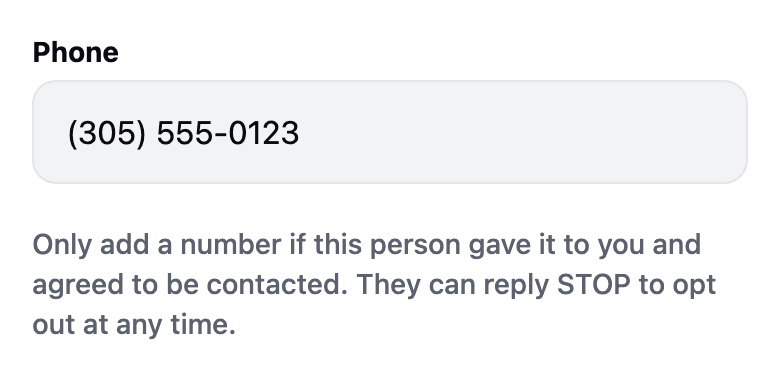
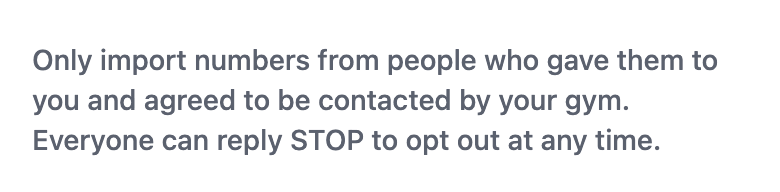
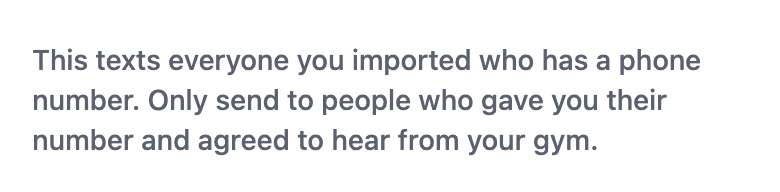
"Get offers from your gyms by text?" (one question, every gym listed)App > the screen opened on the next launch after joining a gym (modals/gym-promo-optin)Same as the web question: each gym a checkbox, the consent line names exactly the checked gyms, directly above Yes. Nothing is recorded until a tap.the question on a gym's page and at plan checkoutApp > a gym page; the plan checkout done screenThe card names the gym and the other gyms the yes covers.a gym the member turned offApp > the gym page of a gym switched off under More > RemindersTurning a gym back on shows the consent line again.your own number (profile, onboarding, turning Promotions on)App > More > Profile; the welcome screens; More > Reminders > Promotions; a ticket payment promptSelf-entry, platform context: texts from iVenza and any gym you join, including offers. Shown again under Promotions when switching it on records consent.try a class at a gymApp > a gym > Try a classSelf-entry on a gym's own form, naming the gym.in-app tour booker (member or staff walk-in)App > a gym > Book a visitOne form that may be a member typing their own number or staff booking a walk-in, so it states what happens to the number and adds the attestation for someone else. Not stamped as marketing consent.staff entering someone else's numberApp > gym > Invite a member, team invite, add a lead, text a contactA coach typing someone else's number sees an attestation, never a consent sentence, and nothing is recorded as consent.staff importing a rosterApp > gym > Switch to iVenza (import members or leads)Bulk import attestation.staff about to text an imported groupApp > gym > Switch to iVenza > reviewAttestation at the moment of sending.Reminders, turning Promotions onApp > More > Reminders (Text messages)Promotions read OFF until a consent is on file for the number on the profile, and the consent line sits directly under the switch; turning it on is what records consent (0508). Every text can be stopped here without replying STOP.Reminders, one switch per gymApp > More > Reminders (Text messages)After a yes, each gym can be switched off on its own (here Harbor Boxing Club is off), and gyms joined later are included until switched off (0520).
7. Contact
Questions about messaging, consent, or this page:
help@susos.co, Show Up Show Out LLC.